I Taught a New Tester Where the Happy Path Ends
Two fields that erased each other, an edit that vanished on return, a message too quick to read: the questions that matter after the app tour is over.
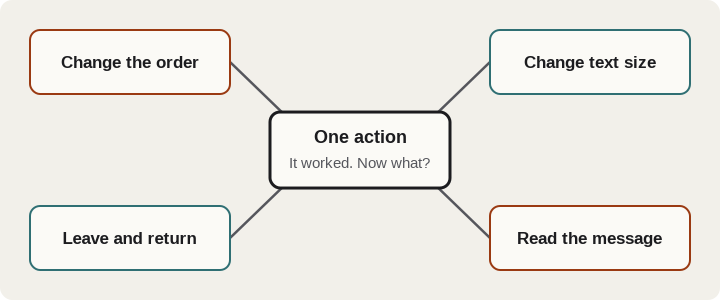
The form saved. So what else could change that result?
That’s where the teaching starts. I wrote an onboarding plan for a new mobile quality engineer and trained them through it. It moved from product context and bug writing into test design, combinations, negative paths, regression, performance, stability, and risk judgment. It wasn’t a loose tour of screens, because each topic prepared the questions the next one needed.
That order came from my own mobile QA work. A tester doesn’t become useful by memorizing where every button lives. Product familiarity helps, but the craft begins when you can see a difference, reduce it to repeatable steps, and explain the expected result without burying the reader.
My early reports were compact. One described saving an entry with a document, then seeing the attachment icon only after refreshing. Another reduced an app exit to a short series of actions. Each gave someone else a path to the same visible state.
That makes a good first exercise, because it forces a choice between observing and explaining. “It doesn’t work” is an observation with no path. A long tour of everything that happened before the failure can hide the one action that matters. The goal is the shortest honest route that still reproduces the problem.
Then hand the route to someone else. If they can’t reach the same visible state, the report still holds an assumption only its writer can see. The missing step is now concrete. A good follow-up is to swap roles: they write a report, you try to follow it cold, and you both mark the step where you had to guess.
Expected behavior needs the same precision. When a larger font size made both the words and the icon for an option disappear, “it should look better” wasn’t an expected result. The content should stay visible and aligned at the larger size. That gives the fix a target and the retest something to inspect.
Once the basic report is clear, the work gets harder. Individual controls can pass while their combination fails. In one entry flow, choosing either required field worked, but choosing the second cleared the first. Reversing the order changed which value disappeared, and the only workaround crossed a save and reopen. A test of each field alone could never see that.
Persistence is the next step. A later report showed an edited value on the current screen even though the change hadn’t been saved. Only leaving that part of the app and returning restored the stored value. To see the disagreement, the test had to move through local state, visible state, and reloaded state.
I’d rather teach that movement than hand over a long table of taps. A table tells you what someone already thought to check. A way of observing lets you ask what the table left out.
A table tells you what someone already thought to check. A way of observing lets you ask what the table left out.
Accessibility and timing belong in the same craft. A larger font can remove an action that exists in the ordinary layout. A confirmation can vanish before a person can read it, even though the operation succeeded. These aren’t cosmetic extras. They change what a user can do and what the user can know.
The plan put test-case writing ahead of broader regression and risk judgment, and the order matters. Regression isn’t just running more cases. It asks how a change might disturb behavior that looks unrelated when you read the request. Risk judgment asks which paths need another look and whether what you’ve seen supports a decision.
My mobile regression work gave that connection a practical shape. It covered search state, timers, cached values, selection, validation, and recent items. The variety mattered because the work turned into a map of the ways state can linger, disappear, or change after another action.
It also moved beyond manual passes. I built instrumented UI automation for critical flows, and when a crash report pointed to a failure, I turned it into a scenario the app could be tested against again. Same principle: take an observation from outside the test suite and make it a repeatable path inside it.
A new tester needs room to build that map. Start with the changed behavior, then move sideways. What else uses the same data? What happens after navigation? What happens after a reset? What does the user see if the operation succeeds but the feedback is too brief to read?
The useful distinction is between coverage and volume. More cases can still repeat the same assumption. Coverage varies the state, order, input, display setting, and point of observation. It asks what the screen showed before the action, immediately after it, and after it loaded again.
That’s also how I’d review a test case from someone new. I wouldn’t start by counting steps. I’d ask which state the case sets up, which action changes it, where the expected result becomes visible, and what observation would separate a real failure from a setup problem. If those pieces are clear, the case can be short. If they’re missing, adding more taps won’t make it precise.
The same shape showed up in my first AI learning checklist. I wrote down questions about what could be searched, how a choice was made, what happened to a near match, and what state survived. The surface was new. The move was the same: turn uncertainty into questions that can become observations.
An AI assistant doesn’t have a happy path like a mobile form. Ordinary wording gets interpreted, mapped, routed, and summarized. But the teaching still held. Don’t memorize one successful route. Find each place where meaning or state can change, then ask what the next action does to it.
A field worked. What happened when another field was chosen after it? A value looked saved. What happened after the screen loaded again? A control existed. Could it still be seen when the display changed?
That’s where the happy path ends. The next question was what those habits look like when there’s no screen to look at.